Photo Restoration
Restore and enhance old or damaged photos with improved clarity, color, and detail preservation
Restore old or damaged photos: repair scratches, recover faded color, and improve clarity while preserving the original detail and character.
All modesYou can verify AI images with an independent checker.
Example outputs
Real results from this mode
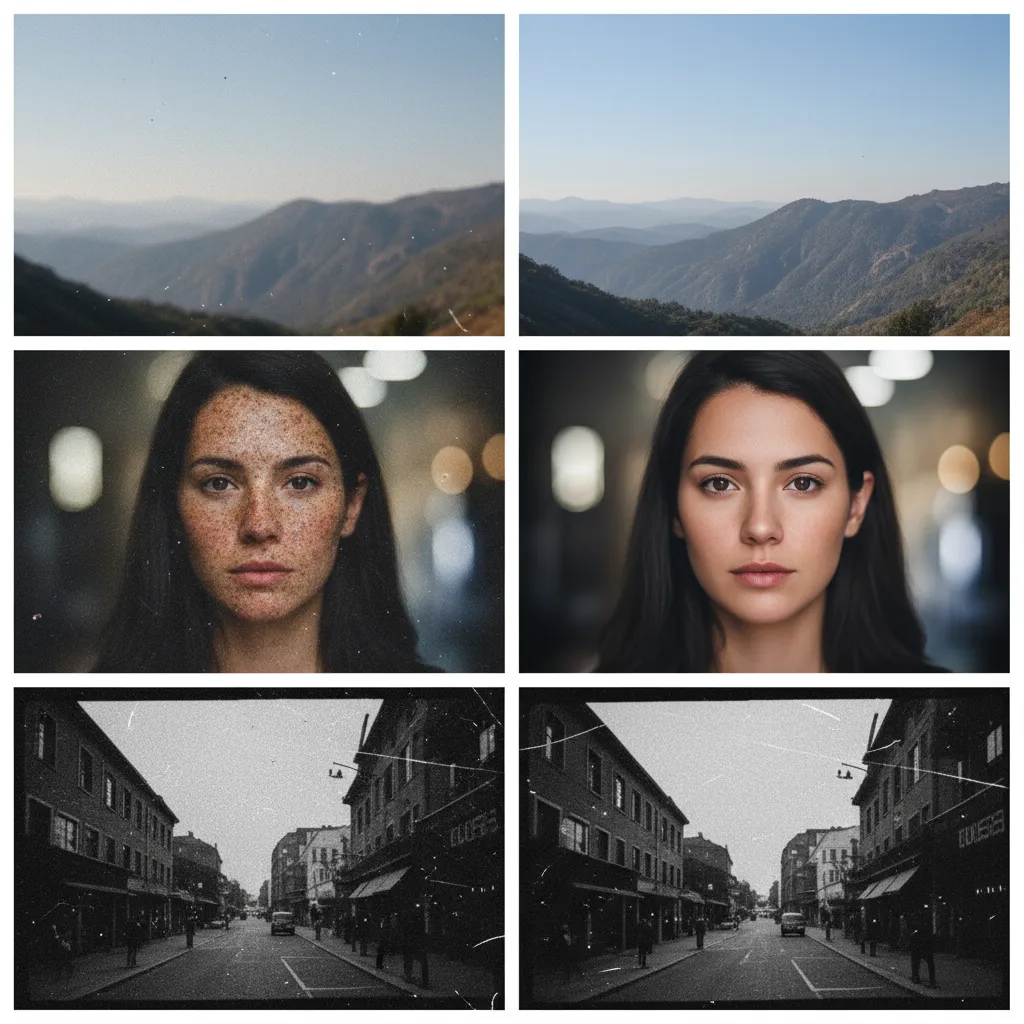
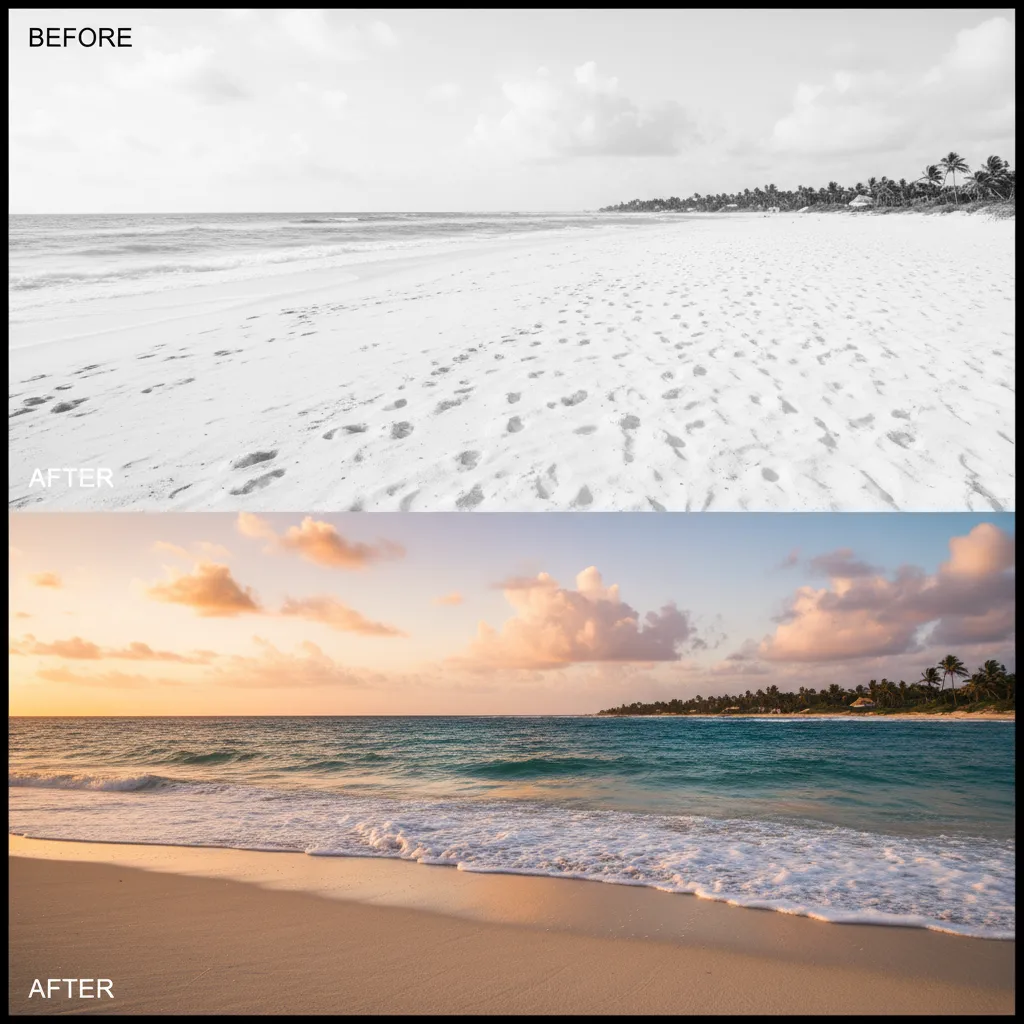
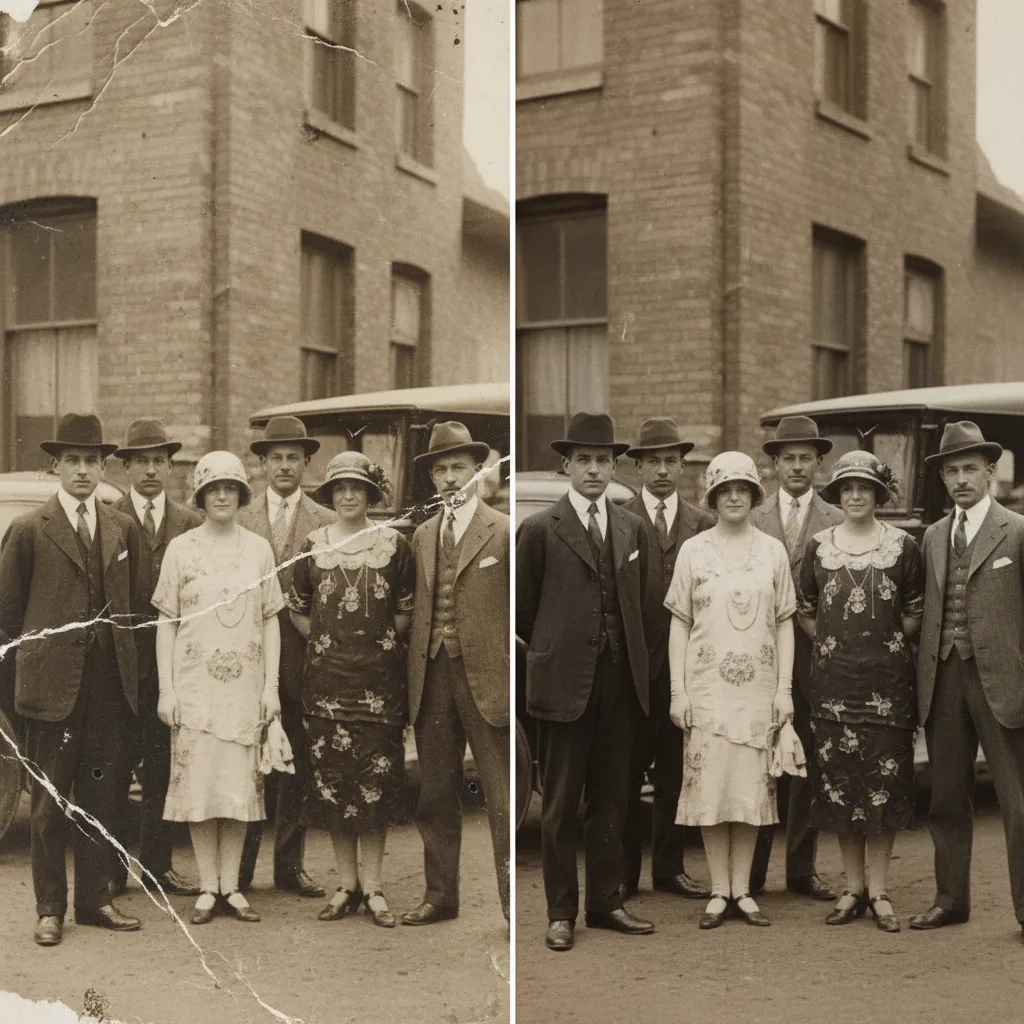
Real sample outputs migrated from our legacy site nanobananas.ai — not stock photos, not mockups.
How it works
Three steps to your first result
- 01
Upload or describe
Have an image? Upload it and say how you want it changed. No image? Just describe the picture you want — some modes offer extra settings to tune first.
- 02
Generate
Click generate and wait a few seconds without refreshing the page. If you leave midway, the finished image still lands in your history.
- 03
Refine and download
Re-edit the result with a follow-up prompt until you are happy, then download the high-resolution PNG or share it.
Pro tips
Get better results
When uploading original photos, maintain clarity as much as possible and outline damaged areas
Specify desired restoration degree, keep black and white or perform colorization
You can add personal relationships or historical context to facilitate restoration of clothing and environment details
FAQ
Common questions
Scratches, creases, fading, yellowing, and low resolution. Upload the clearest scan you have and say what to prioritize — scratch repair, color recovery, or clarity — and the model preserves the original faces and composition.
Keep exploring
More modes to try
Black & White Anime
Create black and white anime battle scenes and stories with hot-blooded manga style
Exploded View
Create detailed exploded view diagrams of products showing internal structure and components
Landmark Annotation
Add AR-style information annotations to landmarks with historical and cultural details